
Overview
Keyper is a self-hosted credential manager built as a browser-first application with client-side encryption and configurable database persistence (Supabase, Neon, or SQLite).
Published desktop downloads for the current release include a Windows NSIS installer plus Linux AppImage and .deb packages.
Current app view
Section titled “Current app view”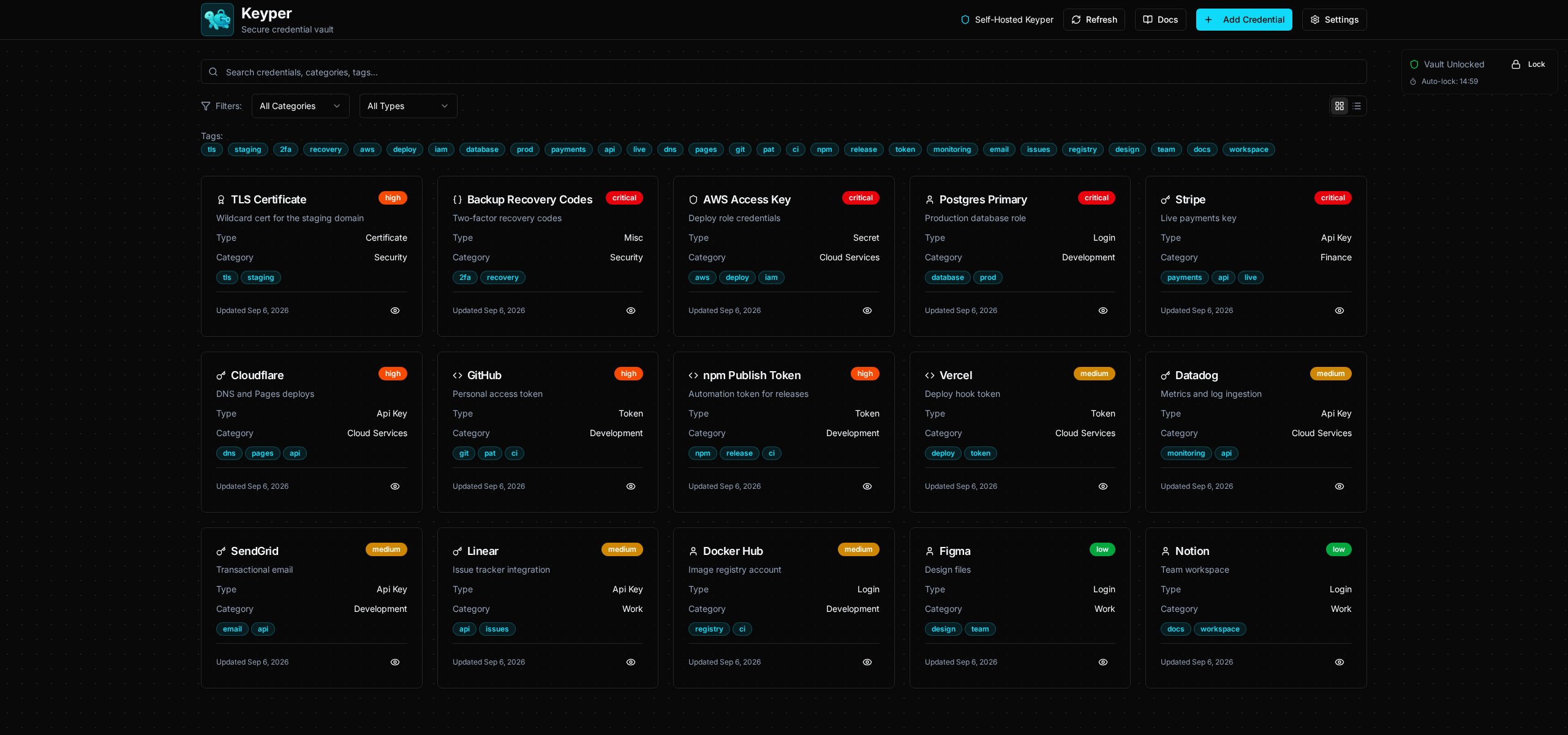
The dashboard showing a populated vault with saved credentials, categories, and tags. The contents are demo data.
Product goals
Section titled “Product goals”- Keep secrets under user control through self-hosted data storage.
- Encrypt sensitive credential values before they reach the database.
- Support multiple users on the same instance through self-service sign-up, with separation enforced by the database against the signed-in account.
- Provide a modern PWA experience with installability and fast startup.
- Support both structured and flexible secure payloads, including encrypted document credentials and multiline misc secrets.
Core runtime shape
Section titled “Core runtime shape”- Frontend framework: React + TypeScript + Vite.
- UI shell: single-route app (
/) with lazy-loaded dashboard modules. - Appearance: the docs screenshots show the default dark and light themes, but Dashboard Settings also includes Charcoal, Medium Gray, Light Gray, Warm Light, Blue, Midnight Blue, and Deep Purple themes plus five local font choices; see Appearance Settings.
- Data backend: Supabase (Postgres), Neon Postgres, or SQLite (sql.js / IndexedDB) — selectable at runtime via in-app settings.
- Security gates: account sign-in decides whether the database returns your rows, then master-passphrase unlock decrypts them. Sign-up is built in.
Primary modules
Section titled “Primary modules”- App bootstrap:
src/main.tsx,src/App.tsx - Main shell:
src/components/SelfHostedDashboard.tsx - Vault gate:
src/components/PassphraseGate.tsx - Registration:
src/components/UserRegistration.tsx - User management:
src/components/UserSwitcher.tsx,src/components/dashboard/DashboardSettings.tsx - Crypto and vault:
src/crypto/*,src/services/VaultManager.ts,src/services/SecureVault.ts - Database integration:
src/integrations/supabase/client.ts(provider router + Supabase client),src/integrations/database/neon-client.ts(Neon serverless adapter),src/integrations/database/sqlite-client.ts(SQLite / sql.js local engine)
Important behavioral note
Section titled “Important behavioral note”Current application behavior is driven by active dashboard components (AddCredentialModal, EditCredentialModal, CredentialDetailModal). Some enhanced encrypted components exist in the codebase but are not the primary path in the current UI.
Credential details now support in-place secret reveal/copy actions in unlocked state, so users can inspect API keys and similar values without entering edit mode.
Current active credential types:
api_keyloginsecrettokencertificatedocumentmisc
For existing databases, run the update script in addition to the setup script so the new types are accepted by the DB constraint:
migration-add-document-misc-types.sql
Screenshots
Section titled “Screenshots”For a full visual gallery, visit Getting Started -> Screenshots.